Discover how to boost your Google reviews by rewarding bonus stamps/points. You can set up the option to award stamps/points for good reviews on Google. This feature works for the following card templates: stamp, reward, cashback, multipass, gift. To do this, you must have a verified business profile on Google https://business.google.com/us/business-profile
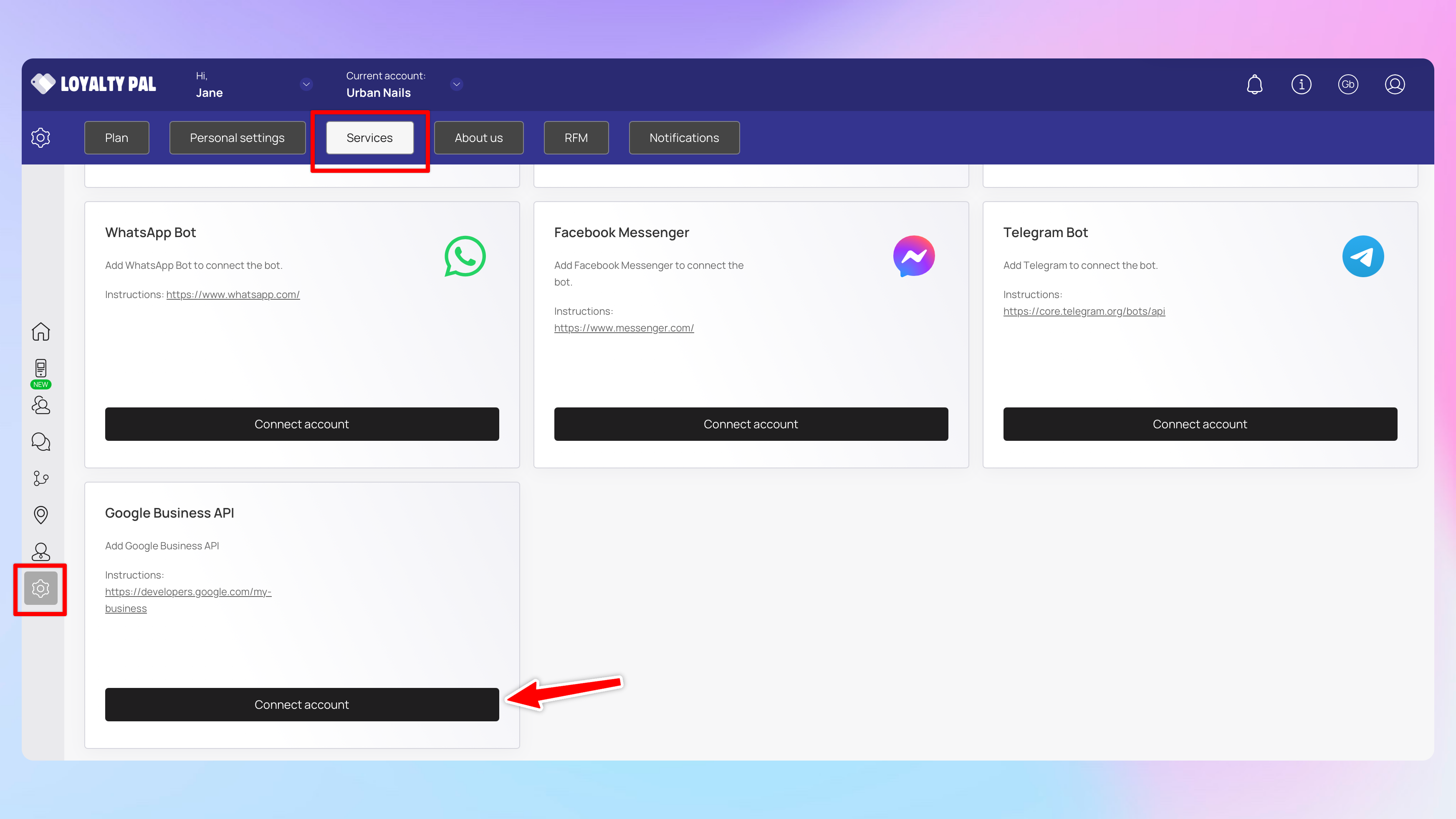
Go to your LoyaltyPal account settings, click services then click on 'Connect account' in the Google Business API section.
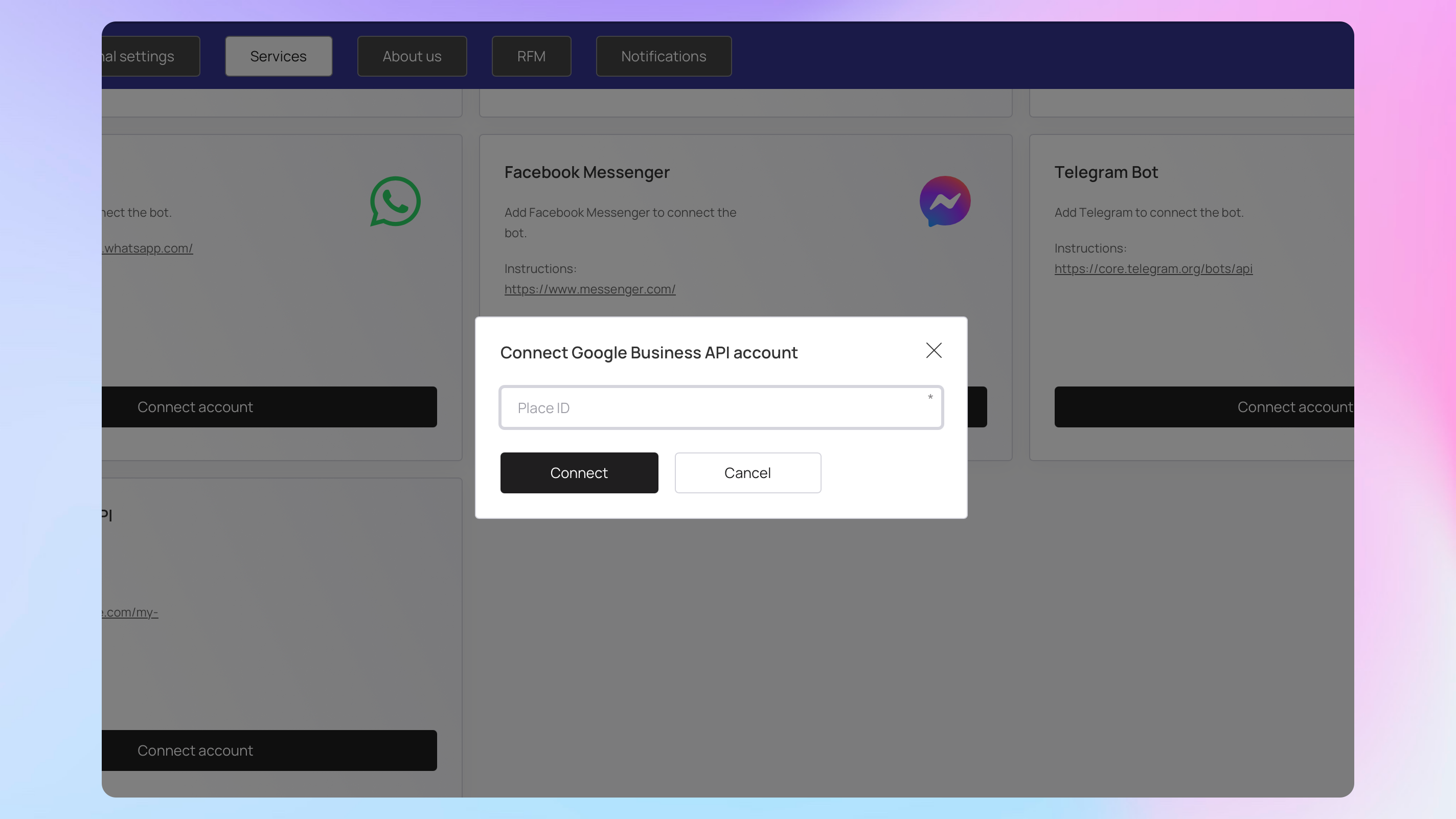
You will then need to enter your Google Place ID. If you are struggling to find your Place ID you can use Google Place ID finder
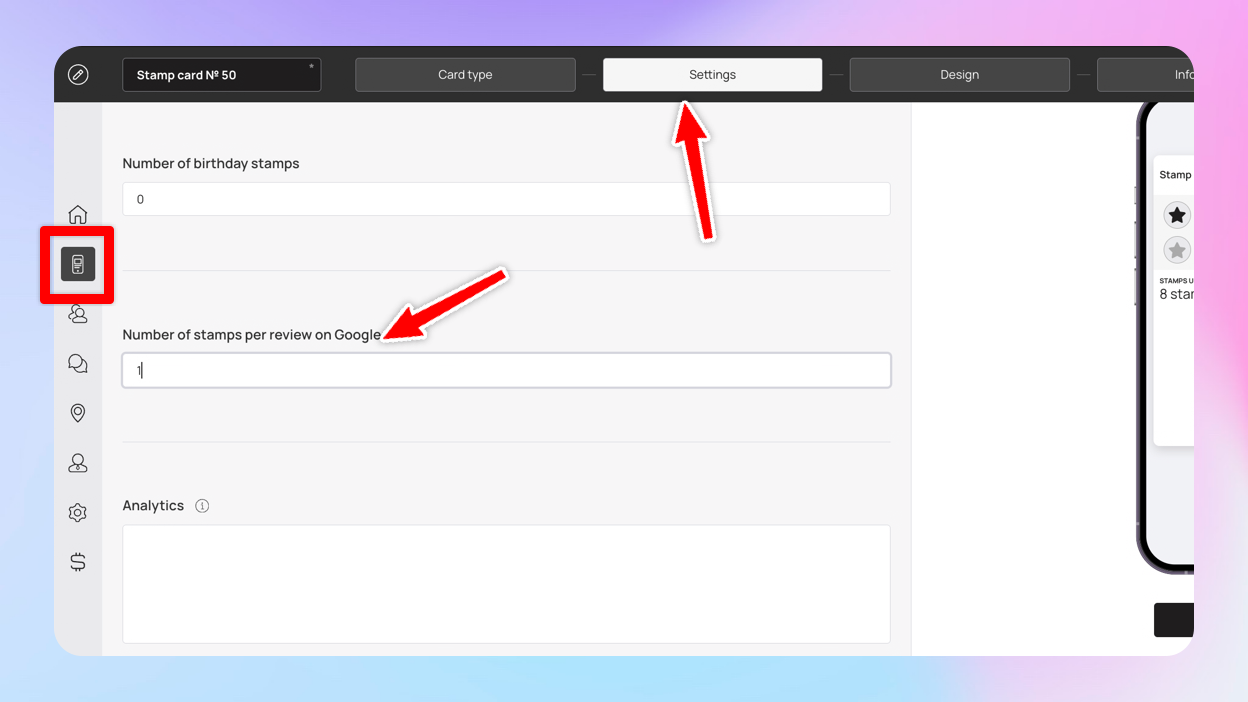
Now go to the card template settings and enter how many points/stamps you want to give your customers for a Google review.
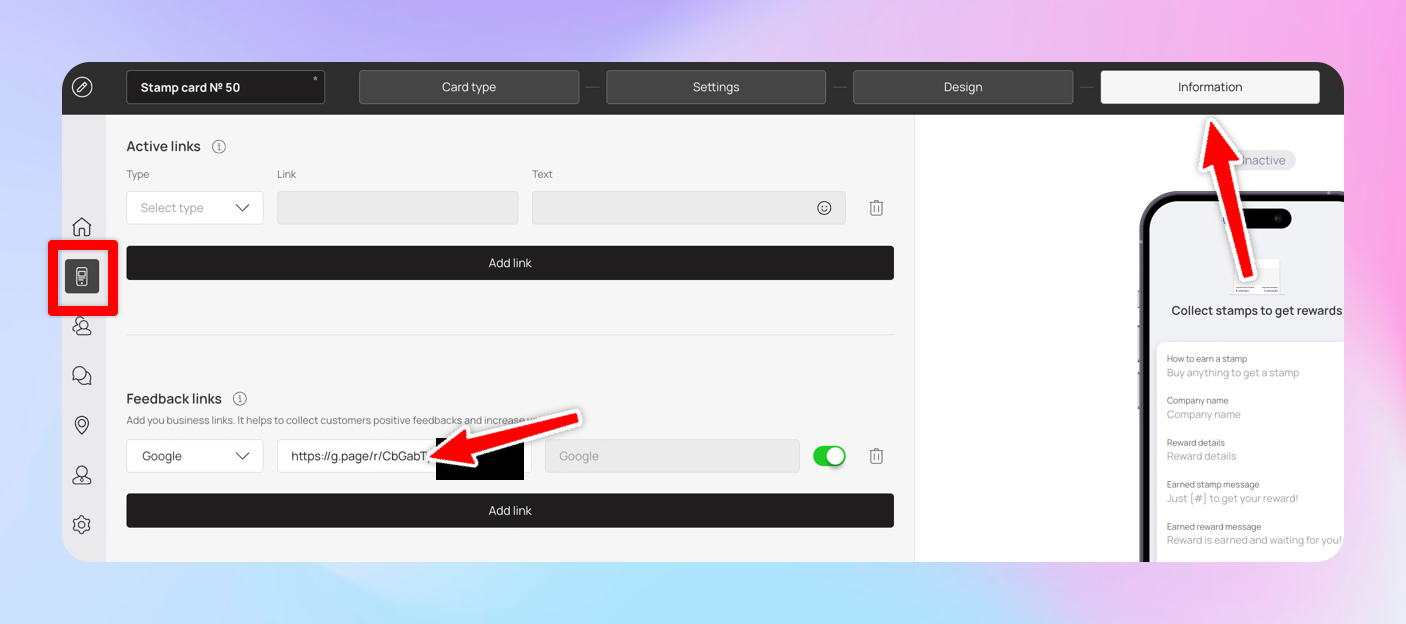
You will also need to add a link to your Google business under the feedback links within the information settings of the card.
That's everything! So now if your customers give a 5-star rating, clicks on the link to the review on Google and leaves a review they will receive their points/stamps. Please note the customer can only receive a reward for a review once per card and the review must be left within 10 minutes after the rating.