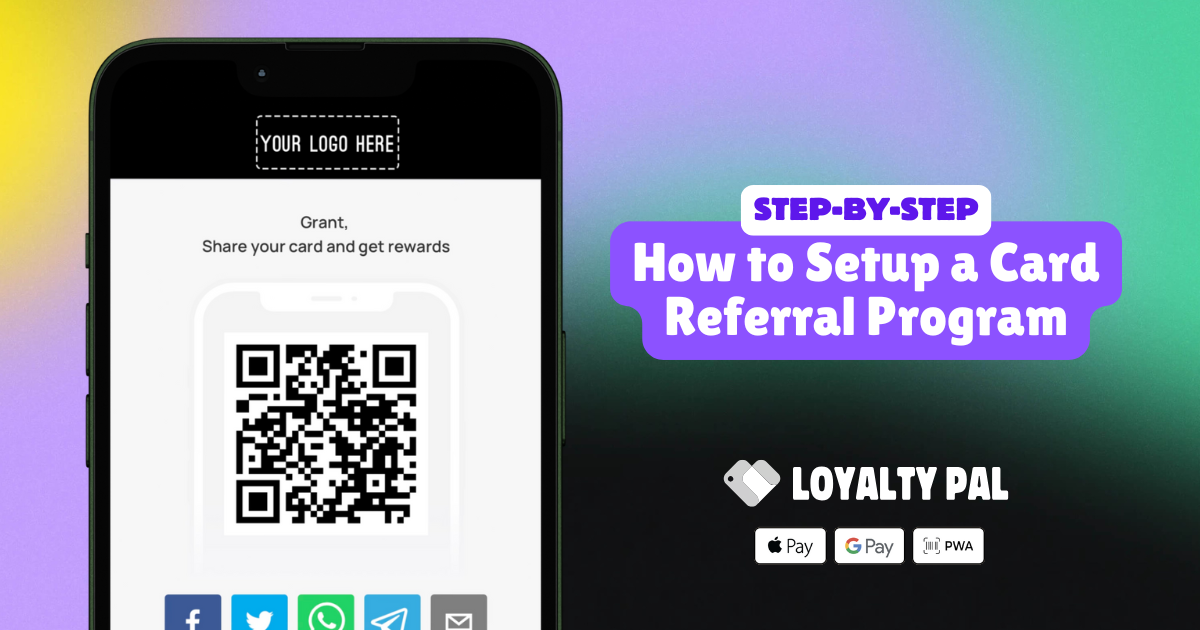
The card referral program lets your customers earn bonus points or extra stamps by inviting friends and family to join. It’s a powerful way to harness word-of-mouth advertising, turning happy customers into your brand's best promoters while expanding your reach. In this article, we'll show you how it works and how to make the most of it
How to activate the Referral Program
LoyaltyPal > Left-Hand Menu > Cards
Here, you can either create a card using a template from a list of a wide range of pre-loaded templates or create one from scratch. For this guide we will be activating the referral program on an existing stamp card.
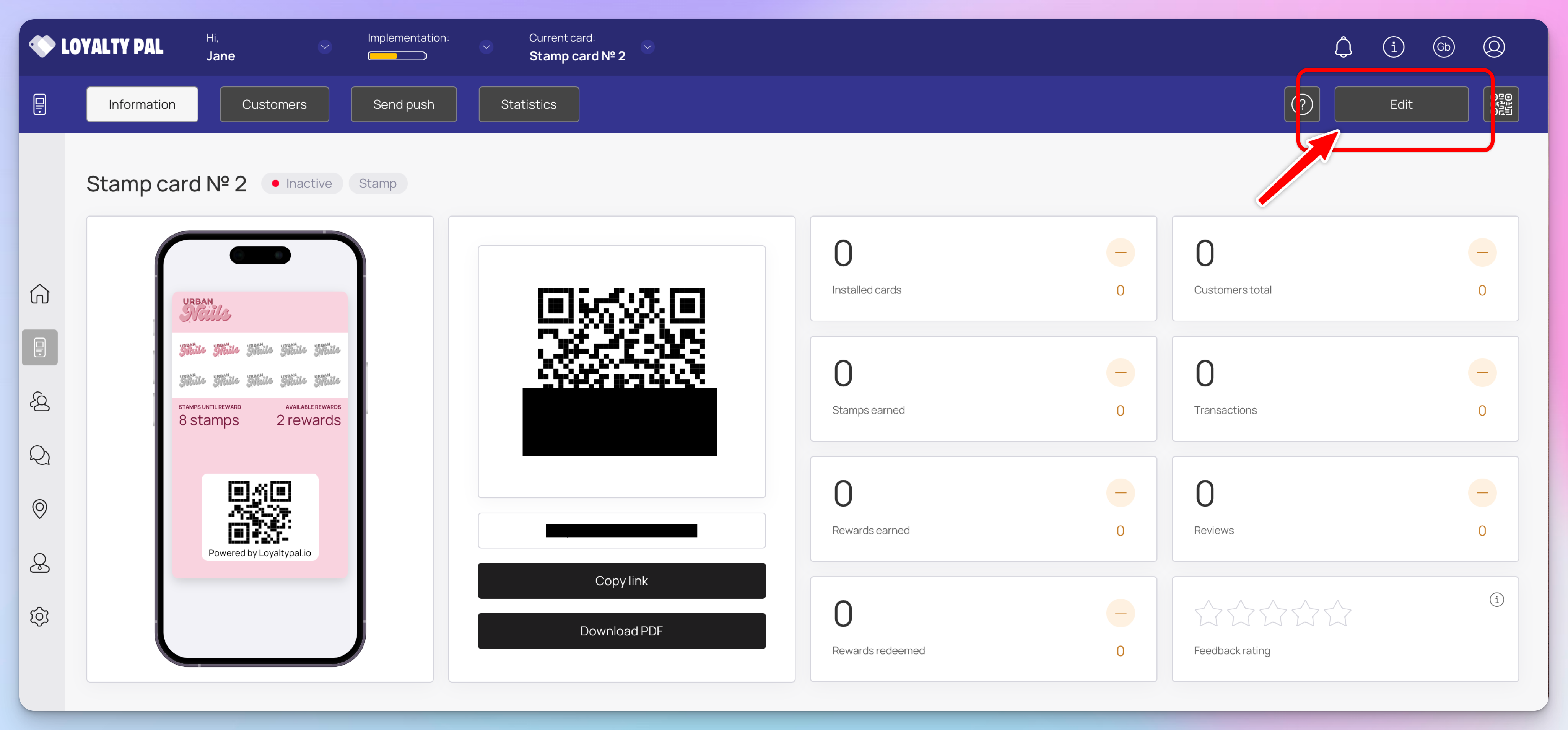
To activate the referral program, click 'Edit' on the card of your choice. If you don't have any cards yet, be sure to explore our detailed card creation guides for each card type, which also includes instructions on setting up the referral program specific for each card type.

Under the card creation workflow, select 'Information' here you will find all the settings for the referral program.
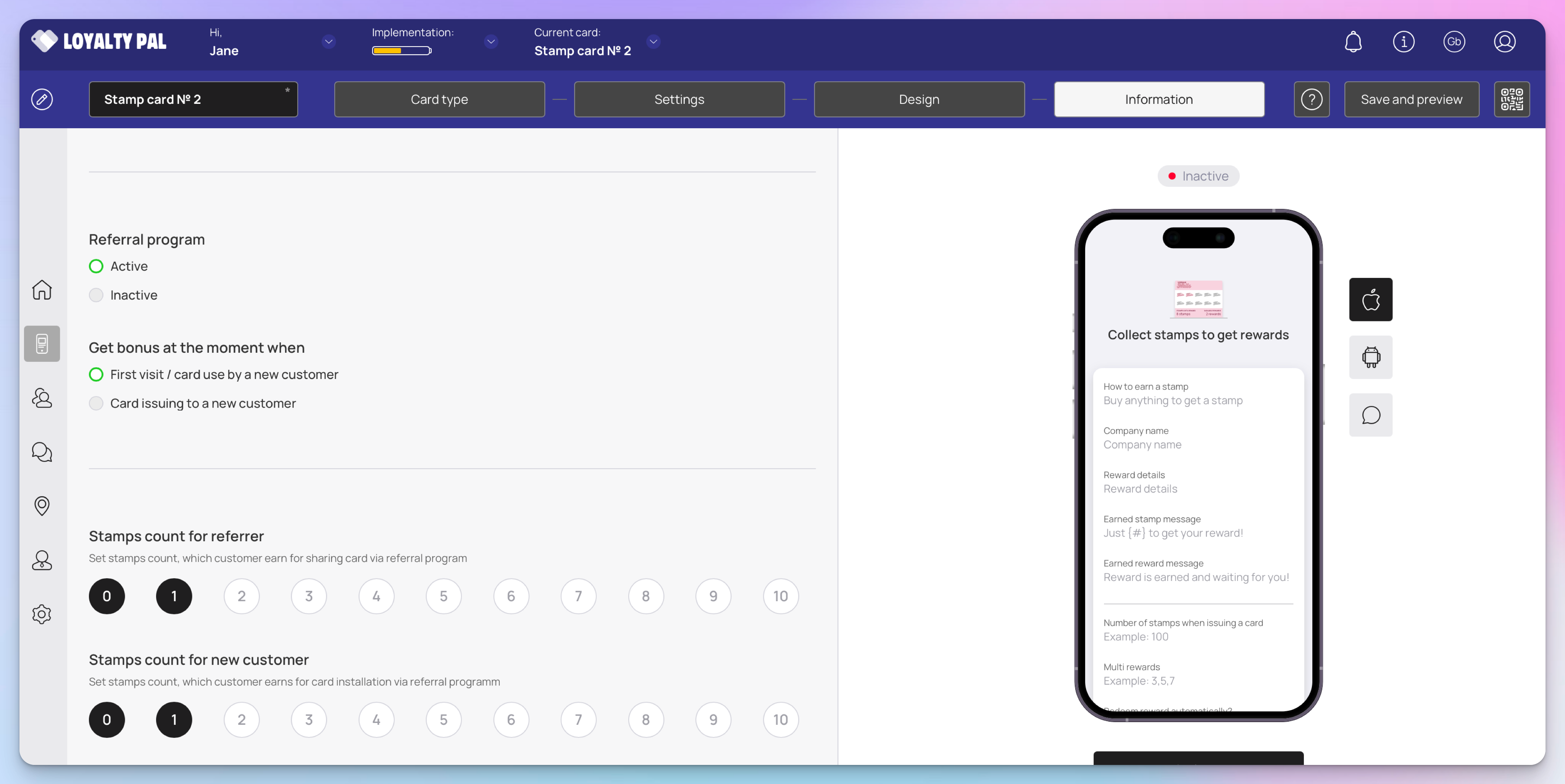
Referral Program: Activate the referral program using the Active and Inactive radio buttons under the 'Referral Program' heading.
Get bonus at the moment when: Define when the bonus stamps are issued to a customer.
Stamp count for referrer: This is the number of bonus stamps the existing loyalty card holder will receive for recommending a friend.
Stamp count for new customer: This is the number of stamps the new customer will received as encouragement to start collecting stamps.
How Customers Share Loyalty Cards
Earning referral bonuses is easy for customers. In this example, we'll focus on a card installed in the Apple Wallet, but the process is the same on Android devices & PWA cards.
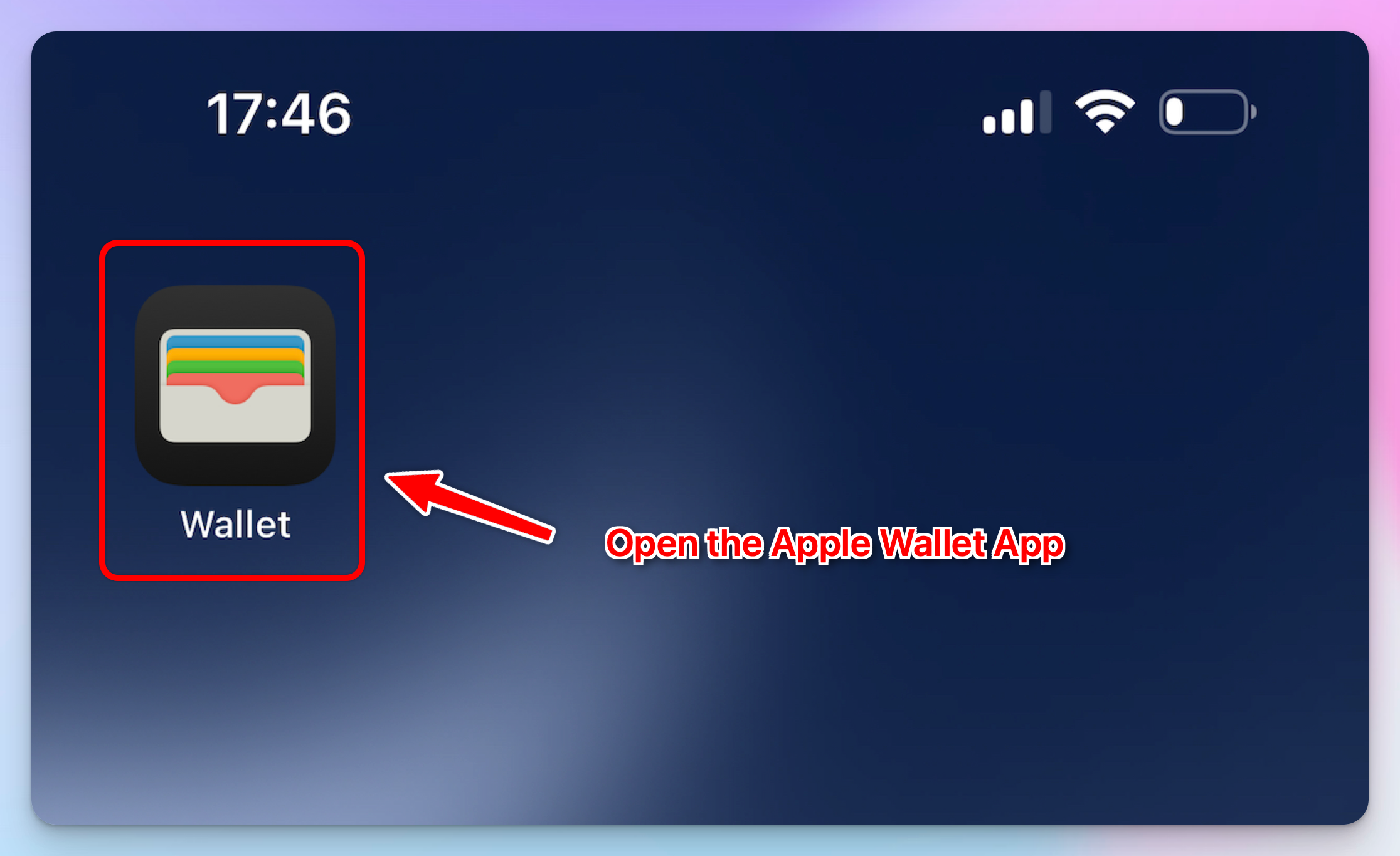
1. Open the Wallet App
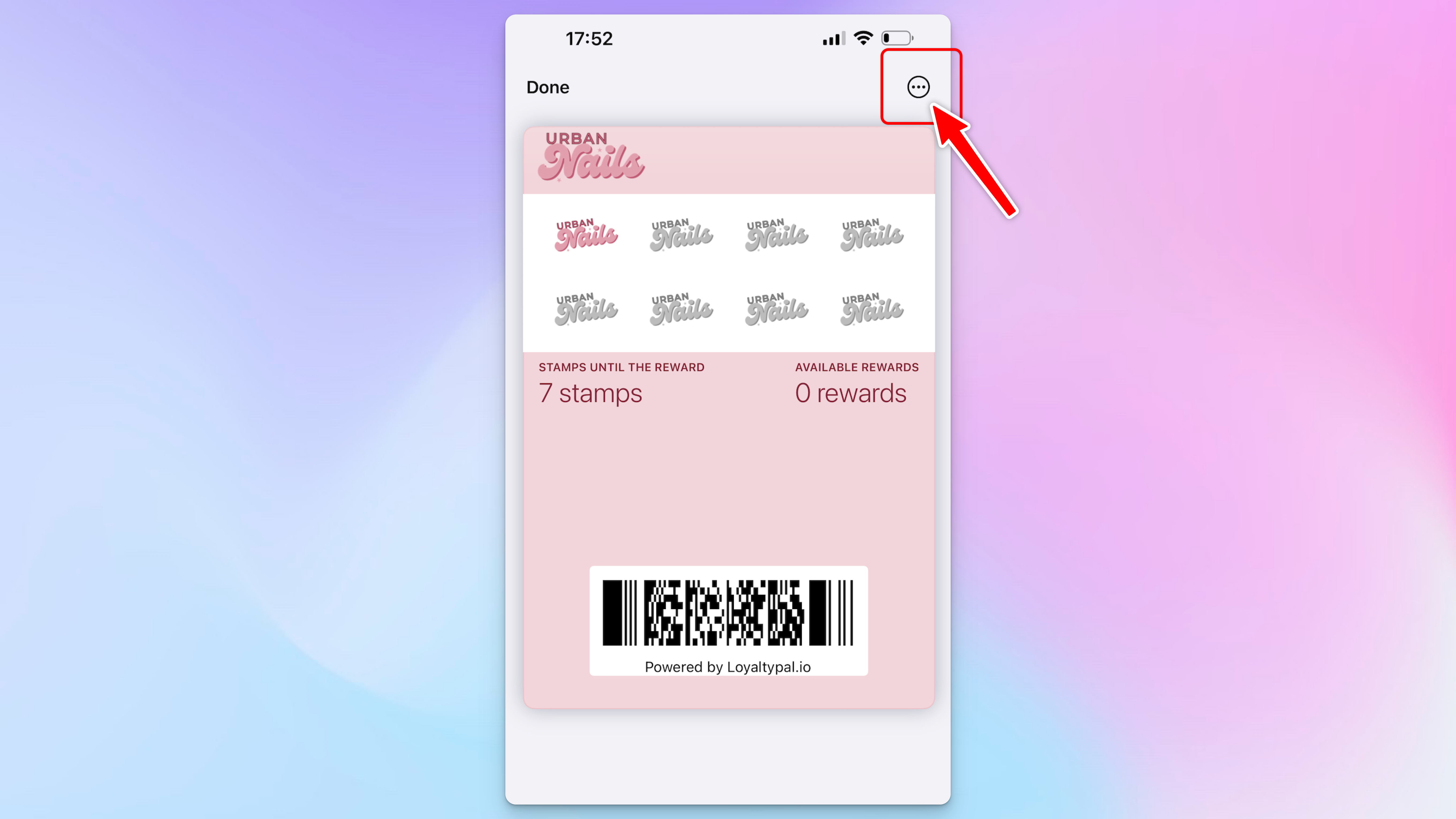
2. Click the ... Icon top right of the card, this will open the back of the card.
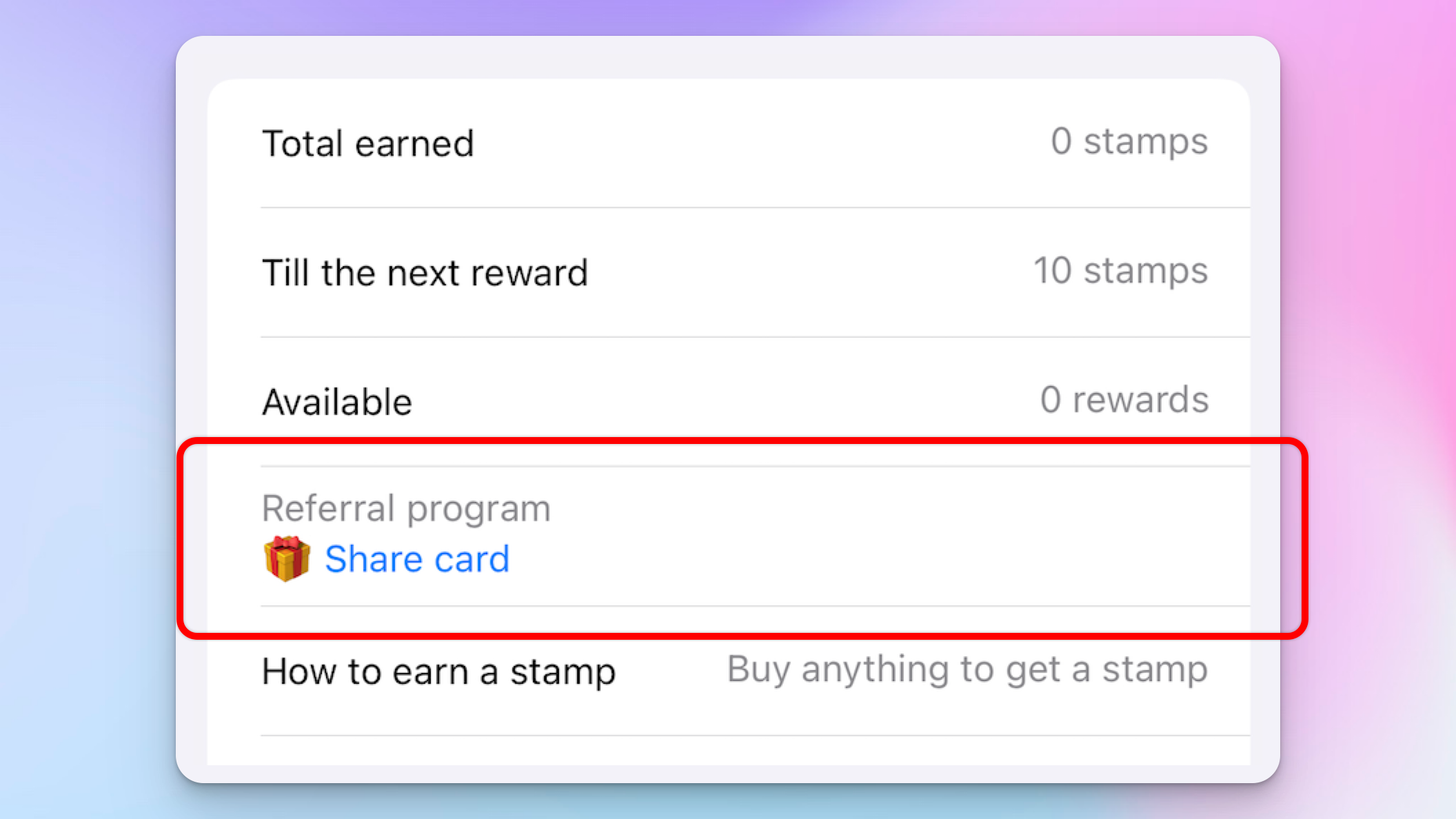
3. Click 'Share Card' link under the referral program.
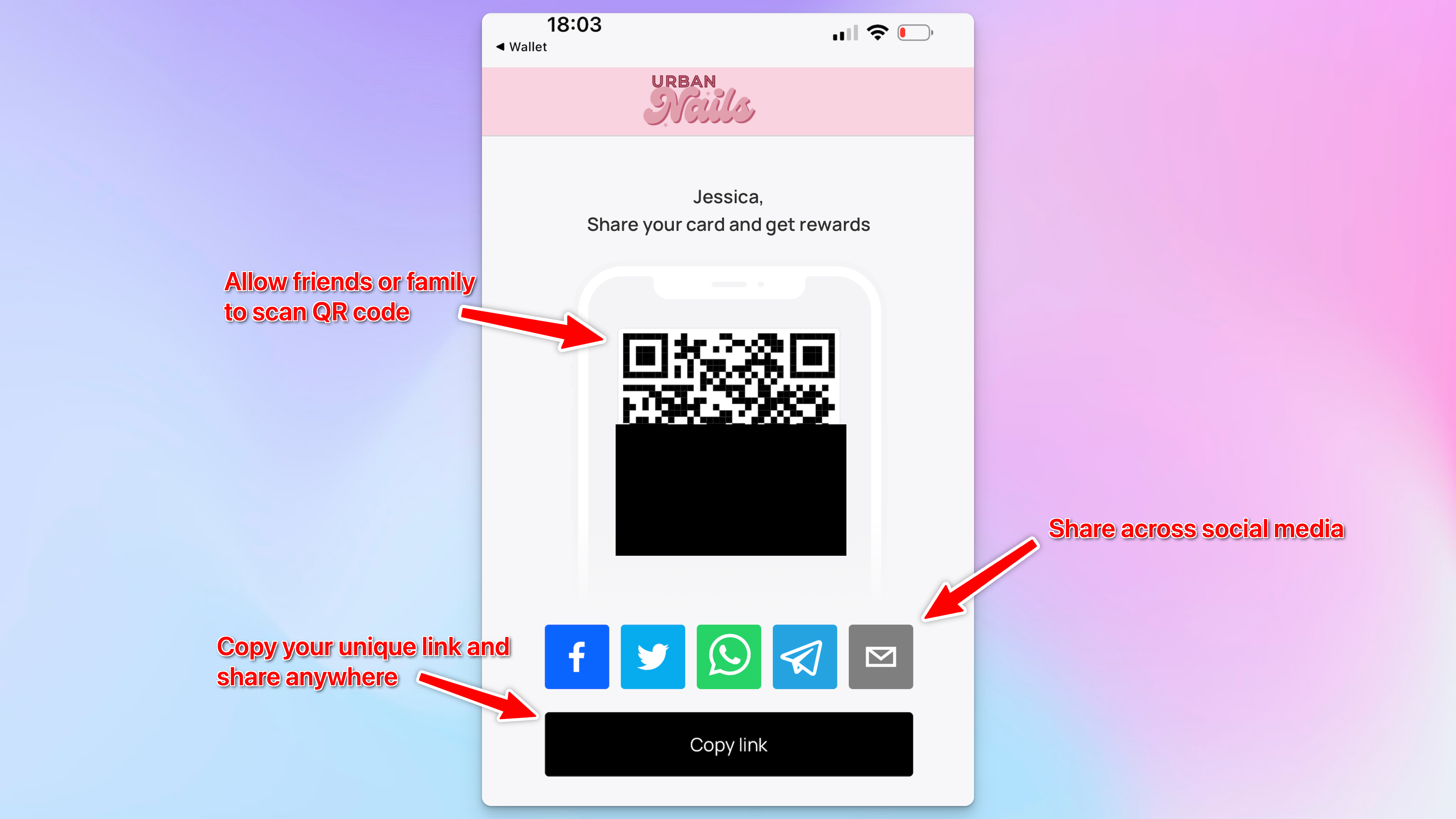
This opens the QR code which friends or family can scan. There are also social media platforms displayed you can tap on the desired channel in order to share your card via that platform. Alternatively click copy link and share via your preferred method of communication.
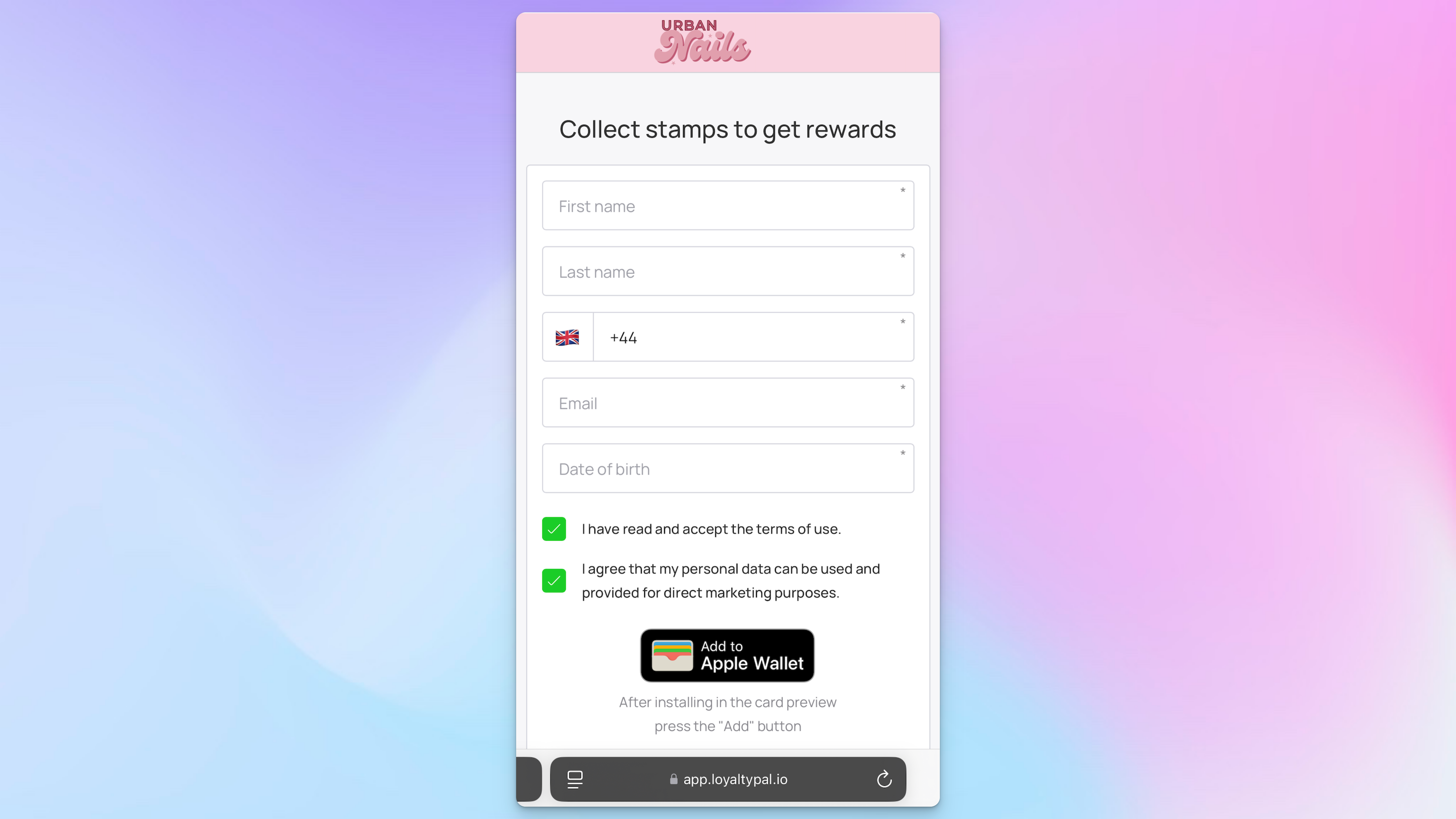
The link will open the card installation page. The new customer will then be able to install the card and the bonus points/stamps will be rewarded either straight away or once the new customer has made a purchase depending on the card settings.