If a customer lose their device or delete the card by mistake – it's just a quick restore.
1. Customer visits the same card registration page via your online or offline card distribution method.
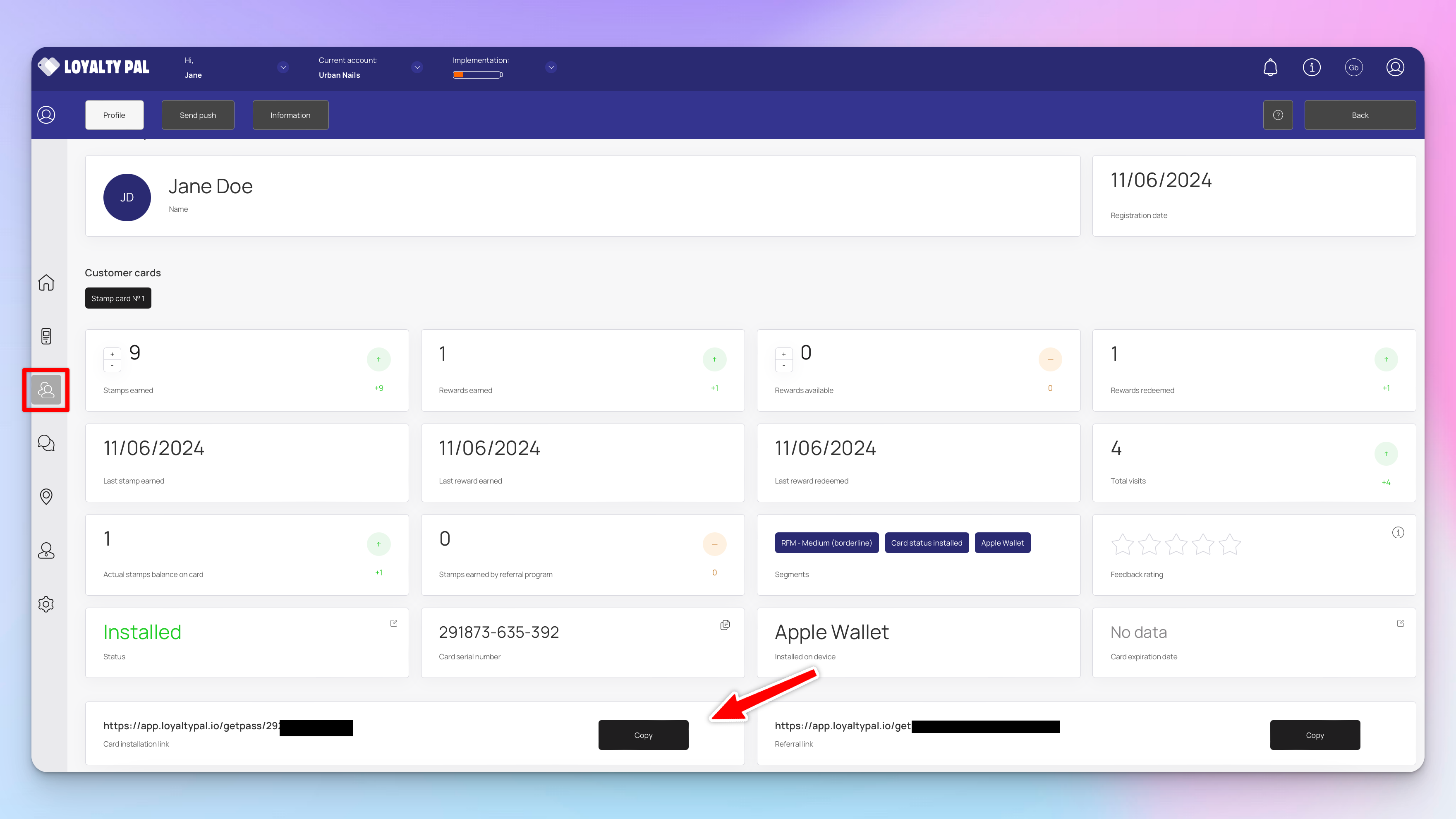
Alternatively you can send a customers a direct card installation link from the customers profile page:
2. The customer will then fill in the registration form with the same details. If you sent the card installation link these details will already be pre-filled.
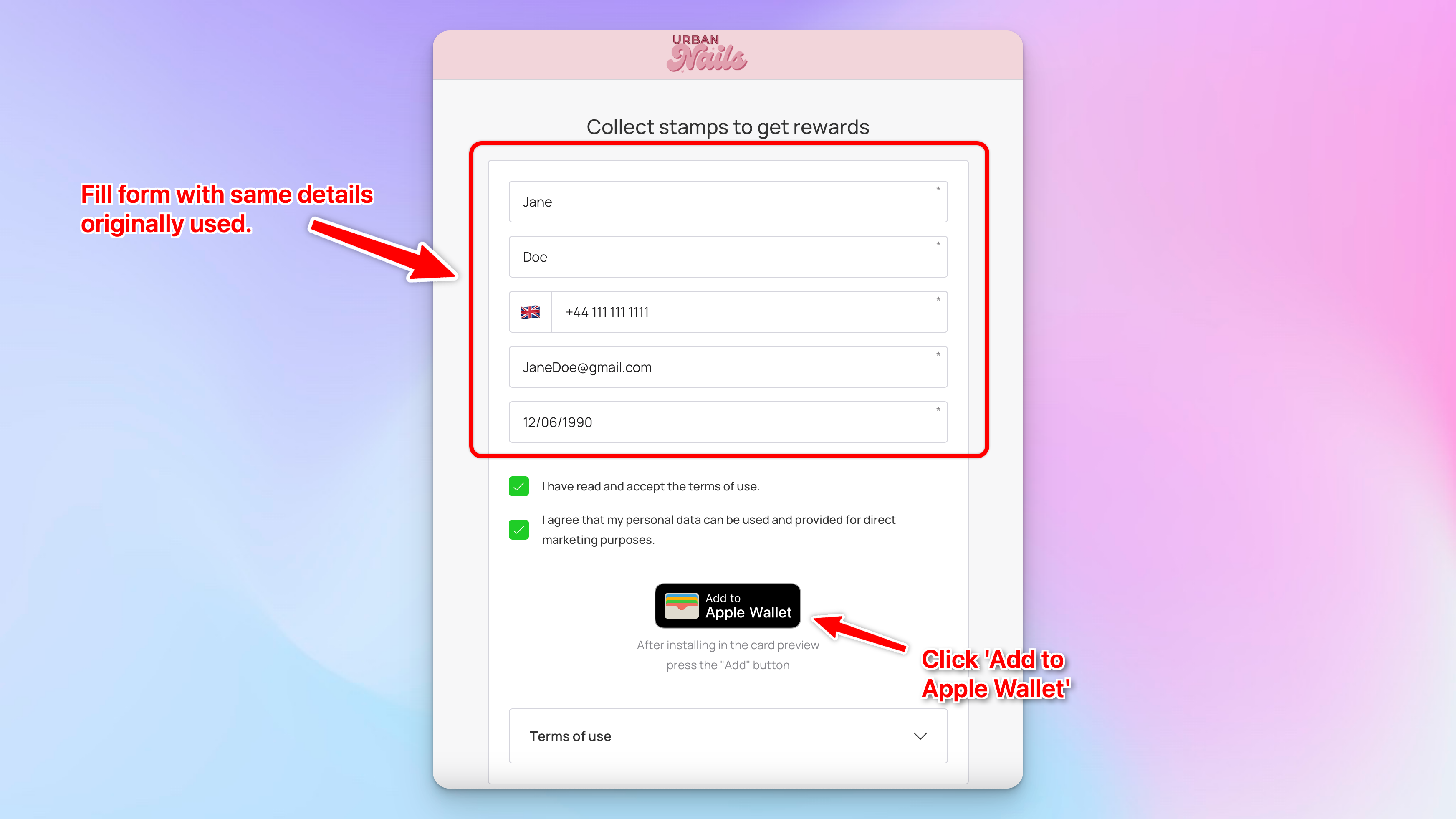
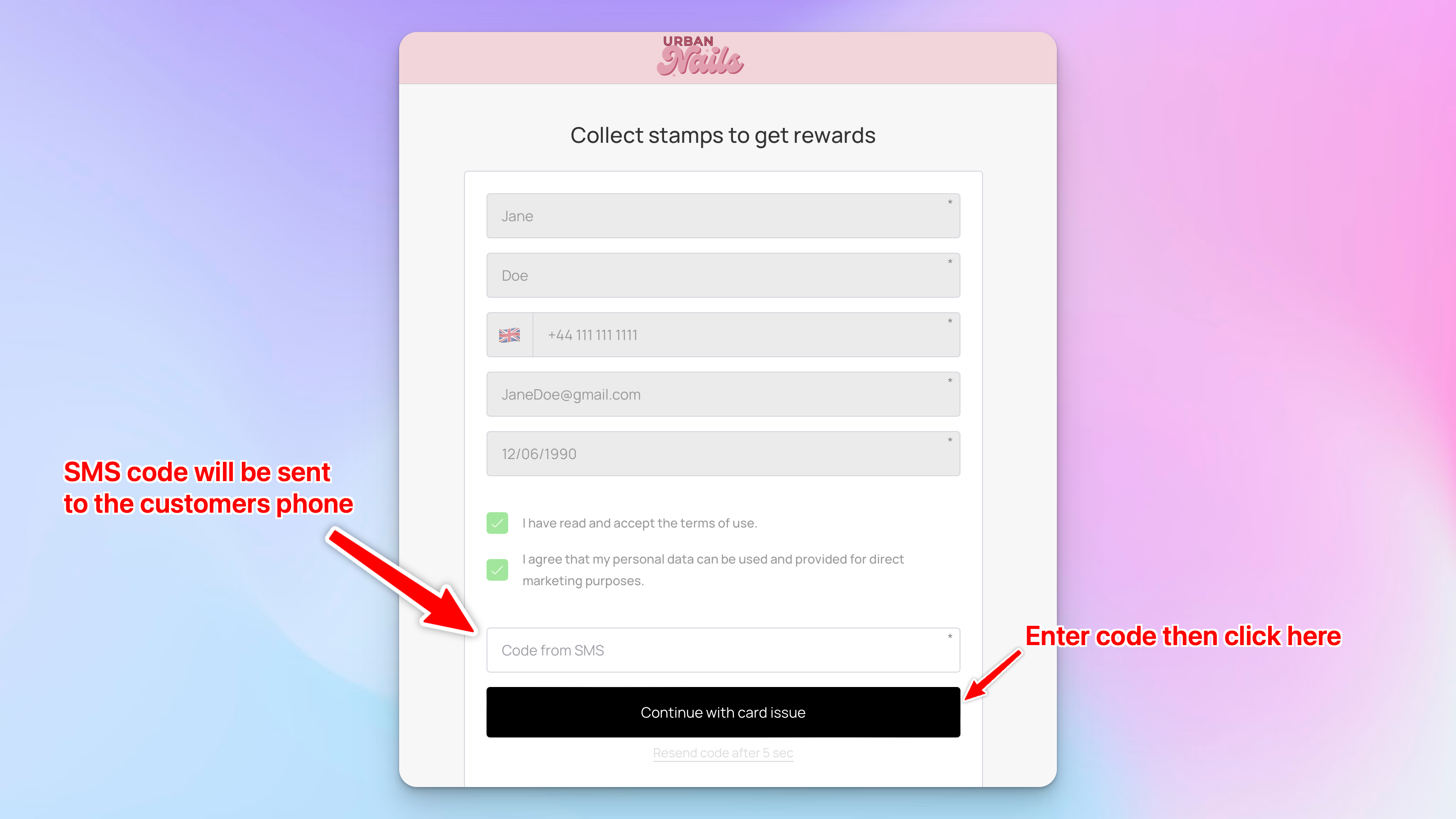
3. When the 'Add to Apple Wallet' is clicked the card credentials are checked and will be identified as a lost/deleted card.
For security the customer will then receive an SMS code to confirm they are the owner of this card.
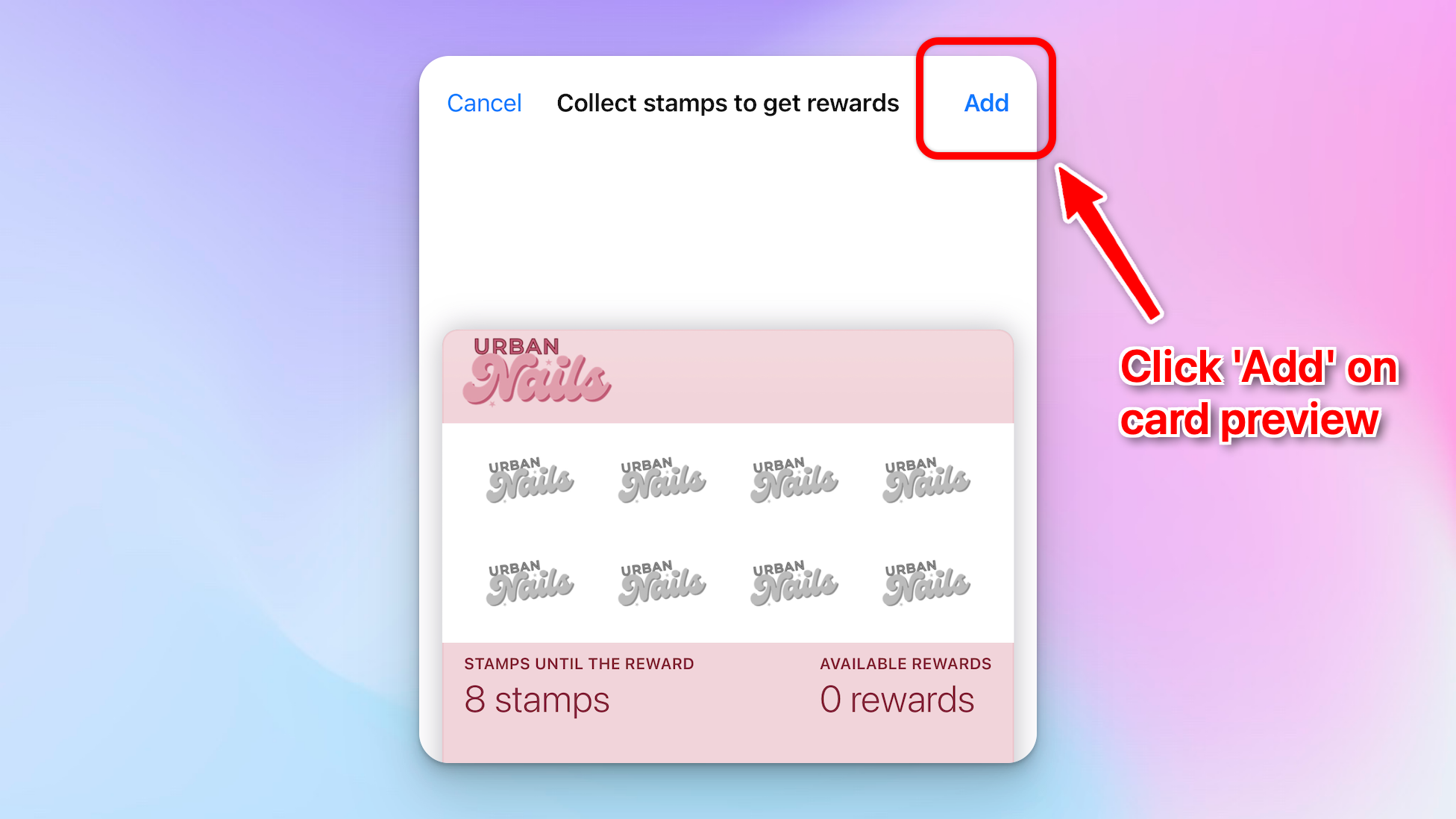
4. A popup of the card preview will show, customer clicks 'Add' then the card will be restored into their mobile wallet.