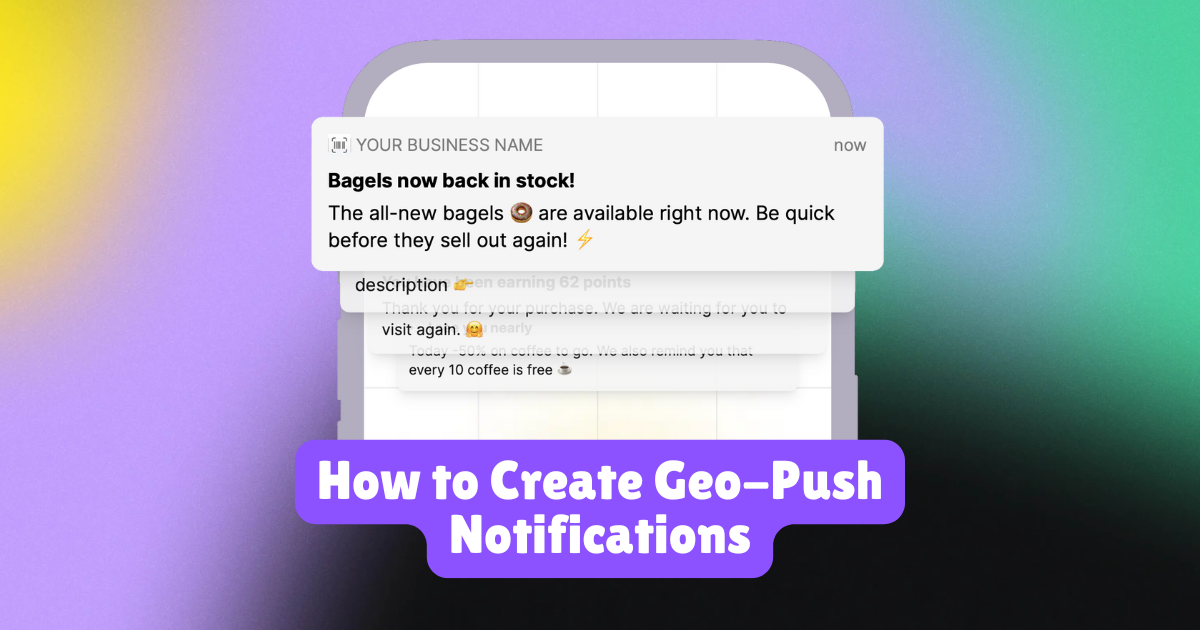
Geolocation push notifications are automated push notifications that get triggered based on your card holders location, the notification will automatically appear on the users lock screen when they are within 100 metres (330 feet).
LoyaltyPal > Left-Hand Menu > Locations
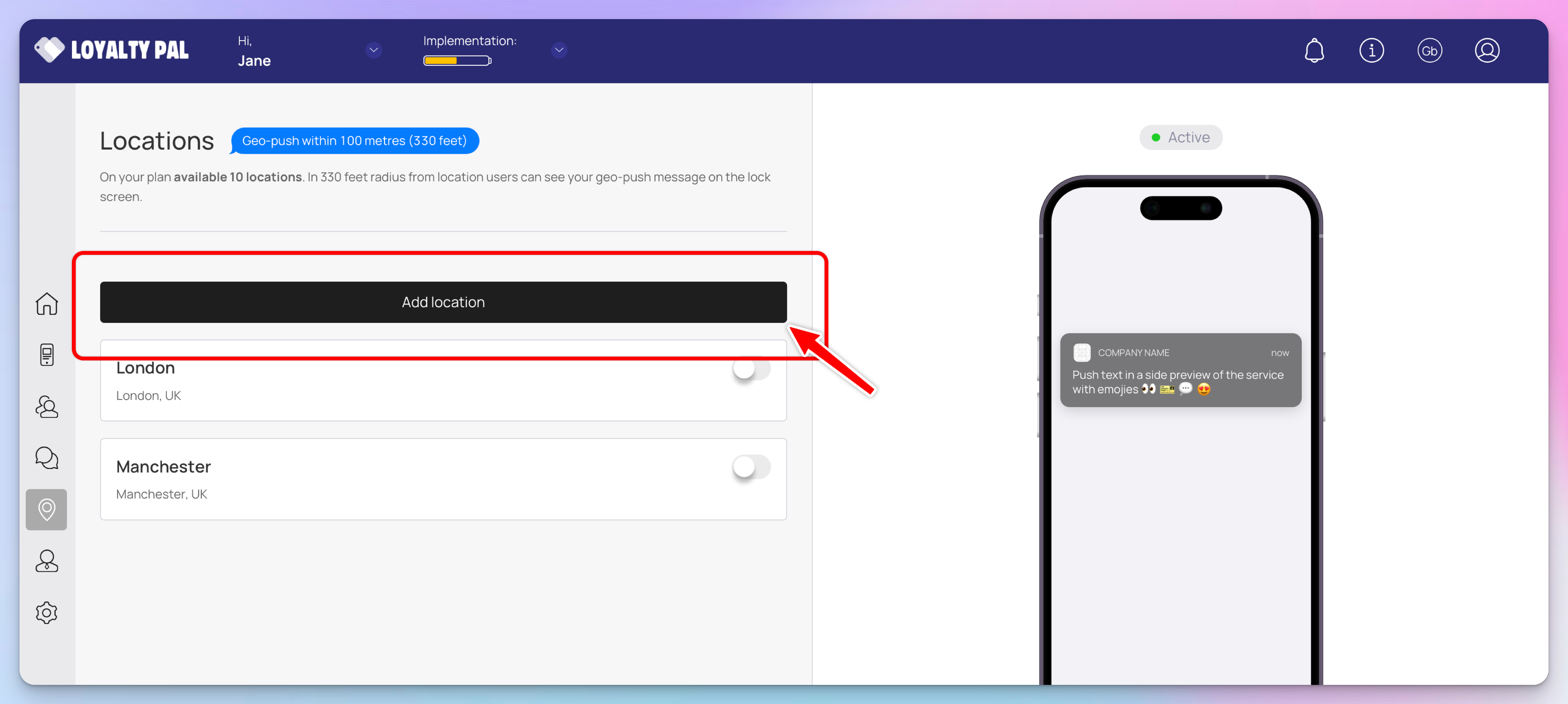
To create a geo-push, click the 'Add Location' button.
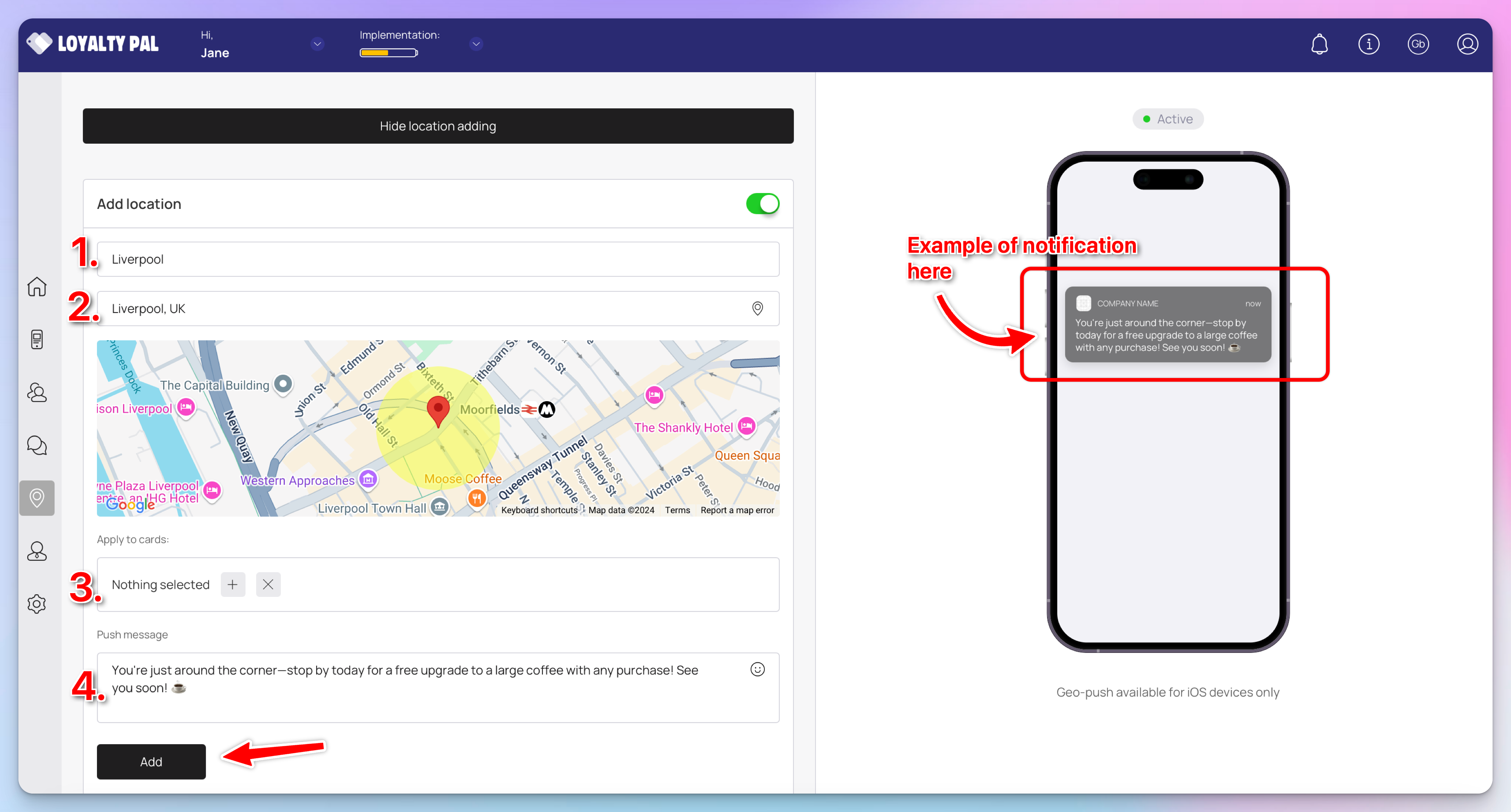
1. Location Name: Use this field to enter the name of the location
2. Location Address: Enter the address of the location. As you type, the suggestions are auto-populated. Use the pin on the map view to set the exact location on the map.
3. Apply to cards: Select the loyalty card(s) to which you want to associate this location and geo-push message using the Apply to Cards field.
4. Push message: Enter the geo-push message in the Push Message textbox. This push notification is sent to all the users in a specific radius of the location.
Once the details are recorded, click the Add button. This adds the location and displays it in the list.
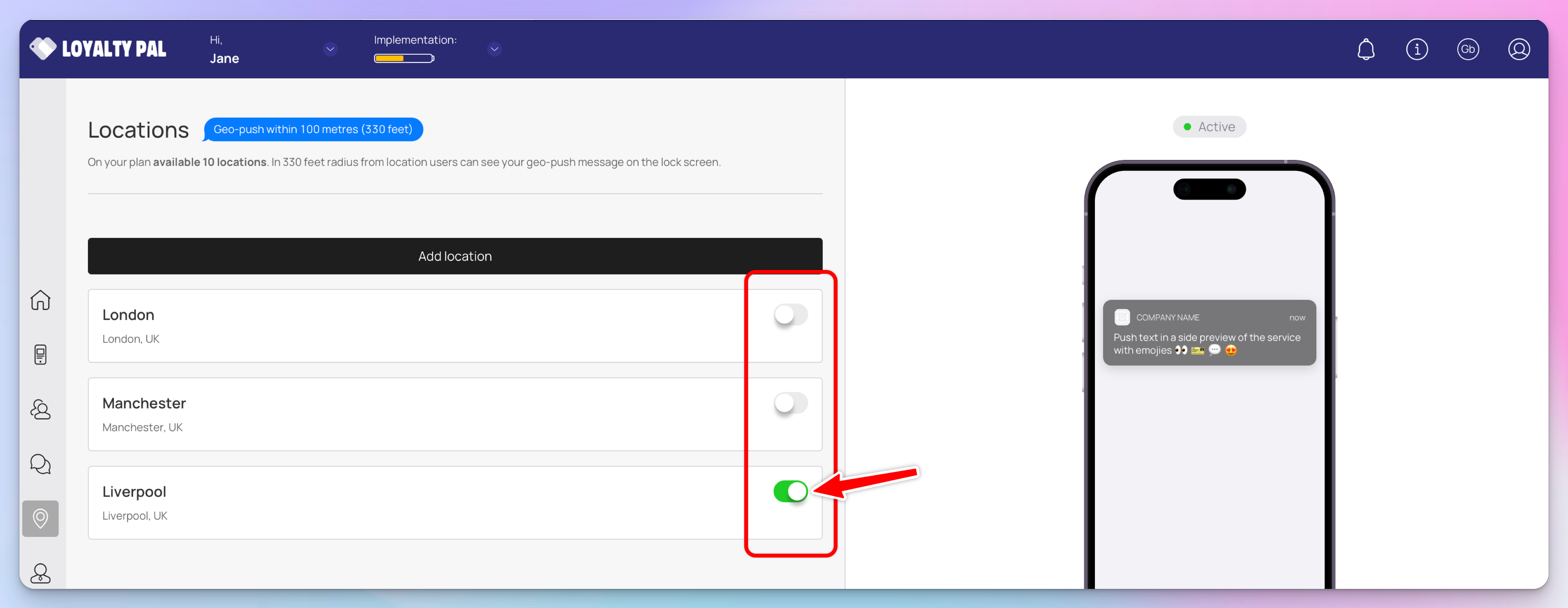
You can use the toggle to turn on and off the geo push notification per location. This could be useful if the store is temporarily closed.