1. The Scanner App can be accessed via the following URL: https://app.loyaltypal.io/scanner-app/
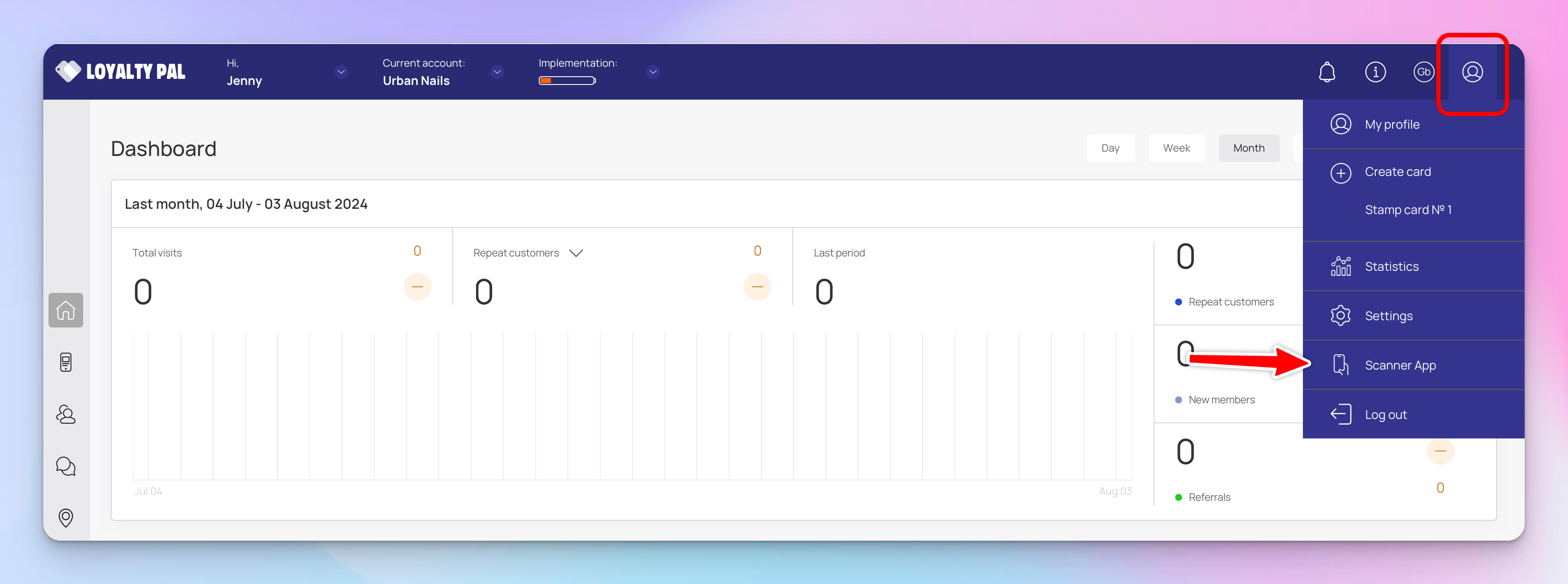
Alternatively you can use the shortcut found under the profile icon on any page of the platform.
2. You have two options to login:
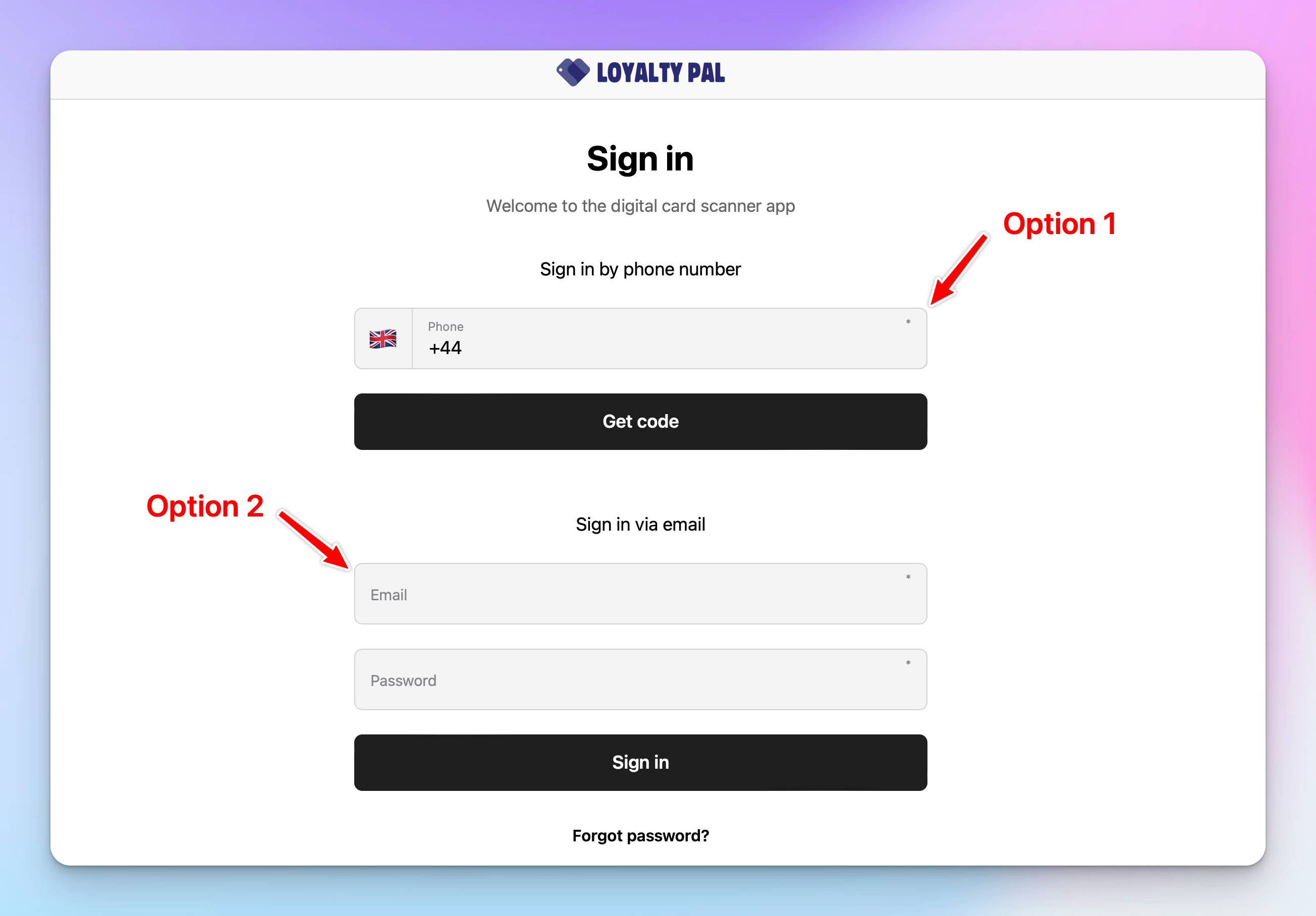
Option 1: You can login using your main LoyaltyPal credentials email and password.
Option 2: Quickly login via your phone number (phone number requires verification code sent via sms).
You can also setup manger seats to give employees individual scanner app login credential, great for tracking analytics and revoking access to individual employees.